
Top up your nol card online in Dubai
- Enter the 10-digit tag ID on the back of your card.
- Pick AED 30, 40, 50, 100 or 150 — or type a custom amount.
- Pay securely by card on the next step. Receipt by email.
The Dubai transit card, briefly
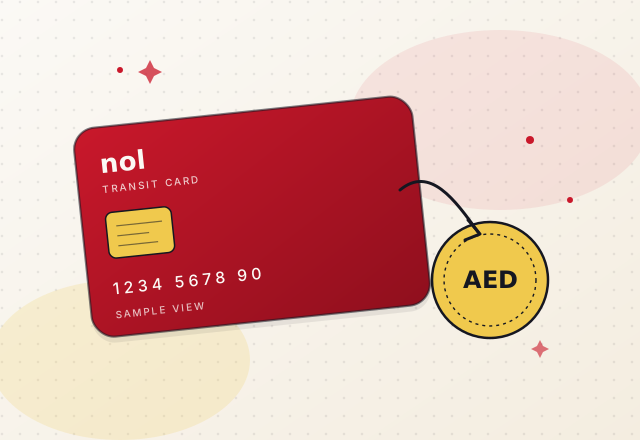
The nol card is the prepaid tap-and-go card used across public transit in Dubai — the metro, the buses, the trams and the water bus. You keep a small balance on it, tap when you enter and exit, and the fare comes off automatically. When the balance dips, you top up.
TopUpNol is an independent Dubai desk that helps riders top up nol card without creating an account here. You bring your 10-digit tag ID, pick an AED amount, and finish payment by card on the next step. Your card stays with you the whole time — this site never sees the physical card, just the tag number printed on the back.
Seven small steps to a topped-up card
There is no clever trick to a nol card recharge online. It is a small routine — some numbers, a card payment, an email. The seven steps below spell out every moment so you know exactly what happens.
Find your tag
Turn the card over. Ten digits are printed near the top edge. That is the only number this site needs.
Open recharge
Head to the recharge page. Nothing to sign into. The form fits on one screen.
Type the tag
Ten digits, no spaces. The field mask helps keep it clean if you paste from a photo.
Pick an amount
Big chips for AED 30, 40, 50, 100 and 150. Or type a custom whole amount from AED 10 to 500.
Add your email
We send one email after payment. No newsletter, no follow-up sales.
Pay by card
Continue to secure payment. Visa or Mastercard. Your balance updates once the payment clears.
Tap and travel
Head to the next station or bus stop and tap in as usual. The topped-up balance is on the card.
Ready when your balance runs low
Open the recharge page, confirm your tag and amount, and finish payment in one sitting.
Words on this site
Transit lingo can be confusing. Four terms come up a lot on TopUpNol — the shorter definitions live here, the fuller ones on the glossary page.
Your card details never touch this site
Payment happens on our secure billing page after you submit the recharge form. That is where a card number is entered — not here. On our side we keep the order number, the amount and your email, so we can send you a receipt and answer questions if anything looks off.
How you pay
- Visa or Mastercard on the secure billing page
- Wallet options like Google Pay may appear if your bank supports them
- Bank redirect for issuers that require an extra confirmation
- Wallet-connect flows are available for repeat riders on request
Options depend on your card issuer and bank. The billing page shows what is available at checkout.
Quick answers
How long does the top-up take to appear on the card?
Once the card payment clears on the next page, the balance is added to your nol card so you can tap in at your next station or bus stop. Bank confirmation depends on your issuer, and typically takes anything from a few seconds to a couple of minutes.
What amounts can I use to top up nol card here?
The preset chips are AED 30, 40, 50, 100 and 150. If you prefer something else you can type a custom whole amount between AED 10 and AED 500. We only work in whole dirhams to keep receipts clean.
Is TopUpNol connected to the transit operator?
No. We are an independent Dubai desk that helps riders complete an online recharge without creating an account. The card, the balance, the fare rules and the actual travel are handled by the transit operator — we simply forward the top-up amount and send you a receipt.
What if I typed the wrong tag ID?
If the tag number does not match your card, the balance will not land on the right card. Contact us with your order number and the correct tag ID and we will look into it right away. That is why we keep the email receipt — it is the fastest way for us to help.
Feedback riders have shared
Anonymised, one-line comments from feedback emails. No names, no photos, no ratings — just what riders wrote to us. If you want to share, write to support@topupnolcard.org.
One tag, one amount, one payment
Head to the recharge page whenever your balance runs low.